
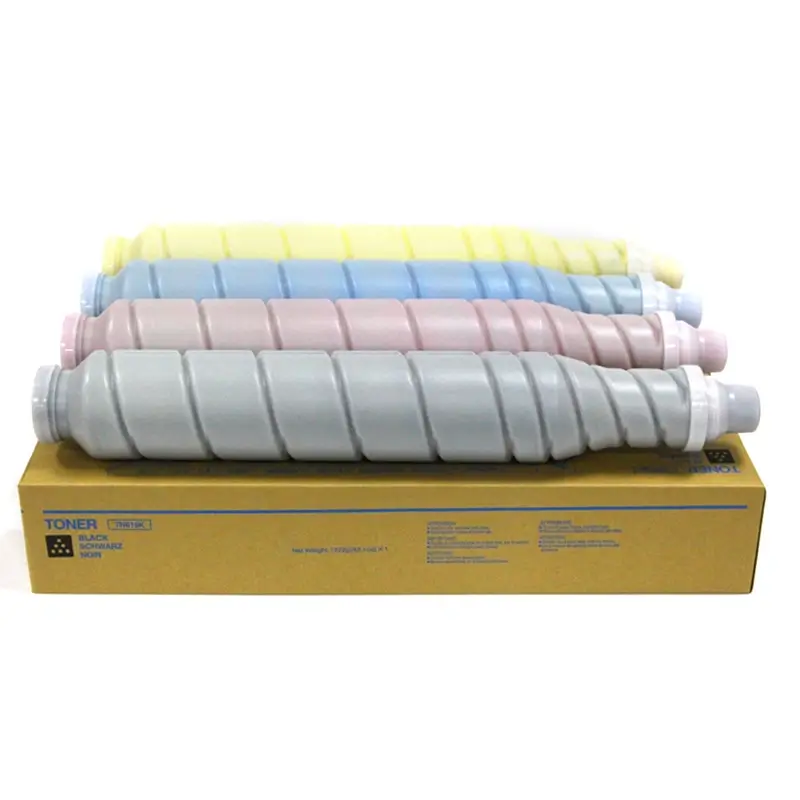
Wholesale Konica Minolta TN619 black toner cartridges bulk supply
Key Takeaways
- J-3201 and J-93-10 can occur during duplex printing on bizhub C458, C558, and C658.
- In the technical case described by TI20210655, the problem is associated with the paper exit inversion unit, rather than the internal ADU.
- The relevant part is the inversion/reversing assembly, Part No. A79MR70800.
- Simplex printing may remain normal because the paper does not use the same inversion path.
- The distinction between the ADU and the exit Flip Unit is important when diagnosing this type of duplex paper jam.
What Causes J-3201 and J-93-10 During Duplex Printing?
On the Konica Minolta bizhub C458, C558, and C658, a duplex paper jam may occur after the first side of the page has been printed and the sheet reaches the paper exit inversion section.
In the technical case described in TI20210655, the problem is related to the paper exit reversing assembly (Flip Unit), Part No. A79MR70800.
Wear inside the reversing mechanism can reduce the force or speed available to move the paper toward the ADU. As a result, the paper may arrive at the sensors later than expected or fail to reach the required sensor position.
This can lead to J-93-10 or, in more severe cases, J-3201.
Important: This article describes the troubleshooting conditions and solution associated with the referenced technical information. It should not be interpreted as meaning that every J-3201 or J-93-10 error has the same root cause.
J-3201 vs. J-93-10: What Do These Error Codes Mean?
What J-3201 Indicates
In the case described by the technical bulletin, J-3201 occurs when the duplex inversion sequence has started but the paper does not reach the PS40 ADU entrance sensor within the specified time.
The relevant paper path is:
Fuser → Exit Inversion Unit (Flip) → ADU → PS40
If the paper is slowed down or does not receive sufficient drive from the exit inversion mechanism, it may fail to reach PS40 in time.
What J-93-10 Indicates
J-93-10 occurs at a later point in the paper path.
In the described case:
PS40 detects the paper → PS41 does not detect the paper within the specified time → J-93-10
This is why J-93-10 can be associated with insufficient paper movement after the sheet enters the ADU.
The Critical Difference Between the ADU and the Flip Unit
How the Duplex Paper Path Works
For the C458/C558/C658 series, the duplex paper path described in this case is:
Fuser → Exit Inversion Unit (Flip) → ADU → Second-Side Printing
The paper first exits the fuser after the first side has been printed. It then enters the exit inversion unit, where the sheet is reversed before being sent back toward the internal Automatic Duplexing Unit (ADU).
Therefore, the Flip Unit and the ADU perform different functions.
Why the Exit Inversion Unit Matters
The ADU is the internal duplexing mechanism responsible for returning the sheet for second-side printing.
The Exit Inversion Unit, however, is located in the paper exit area and performs the sheet-reversing operation before the paper returns to the duplex path.
In the TI20210655 case, the relevant component is:
Paper Exit Reversing Assembly
Part No.: A79MR70800
This distinction is critical because troubleshooting the ADU alone may not resolve the problem if the actual cause is insufficient drive from the upper paper exit reversing mechanism.
Where Is the A79MR70800 Inversion Unit Located?
Location of the Reversing Assembly
The A79MR70800 paper exit reversing assembly is located in the paper exit area, above the fuser.
It is part of the Flip / Exit Inversion Unit, rather than the main internal ADU.
Internal Components of the Reversing Assembly
The reversing mechanism includes components such as:
- Reversing roller assembly
- Reversing drive gears
- Reversing paper guide
- Reversing diverter mechanism
According to the described technical case, wear of the internal mechanical components can reduce the force available to move the paper toward the ADU.
The resulting symptom is not necessarily an electrical sensor failure. Instead, the paper may physically move too slowly to reach the expected sensor position within the specified timing.
Common Troubleshooting Pitfalls
Why Servicing the ADU May Not Solve This Problem
A common diagnostic approach is to start with the ADU because the error occurs during duplex printing.
Technicians may inspect:
- PS40
- PS41
- CL6 clutch
- ADU paper path
- Foreign objects or paper debris
These checks are still relevant for normal ADU faults.
However, if the machine matches the conditions described in TI20210655, continued servicing of the ADU may not resolve the problem because the underlying issue is associated with the upper paper exit reversing assembly A79MR70800.
Why Normal PS40 and PS41 Signals Do Not Always Rule Out the Problem
An I/O check may show that PS40 and PS41 are operating normally.
This does not necessarily mean that the paper path is mechanically normal.
A sensor can respond correctly while the paper itself is moving too slowly.
In this type of case, the important distinction is:
Sensor failure → abnormal sensor signal
versus
Mechanical paper-feed problem → sensor receives the paper too late
That distinction can prevent unnecessary replacement of otherwise functional sensors.
How to Determine Whether This Case Matches TI20210655
Model and Symptom Check
The case is applicable to:
- bizhub C458
- bizhub C558
- bizhub C658
The characteristic symptom is:
Simplex printing works normally, while duplex printing produces paper jams.
Error Code Check
The relevant error codes are:
- J-3201
- J-93-10
ADU and Sensor Verification
Before attributing the problem to the inversion unit, the normal ADU-related checks should be performed.
These may include:
- Cleaning and checking PS40 and PS41
- Checking the CL6 clutch
- Checking the ADU paper path
- Checking for foreign objects
- Confirming that the problem persists during duplex printing
If these conditions match the technical information case, the A79MR70800 reversing assembly becomes the key component to inspect.
J-3201/J-93-10 vs. Standard ADU Faults
| Fault Source | Typical Symptoms | Key Components |
|---|---|---|
| TI20210655 Case | Duplex paper jams with J-3201 / J-93-10; standard ADU checks do not resolve the problem | Paper exit reversing assembly A79MR70800 (Flip Unit) |
| Standard ADU-Related Fault | Duplex paper jams; inspection may reveal abnormal clutch operation, sensor issues, or foreign objects | CL6 clutch, PS40/PS41 sensors, ADU |
Practical Tip: Do Not Confuse the Two Reversing Mechanisms
The C458/C558/C658 series uses two different parts of the duplex paper path that can easily be confused during troubleshooting:
① Internal ADU
The main duplexing unit inside the machine.
② Exit Flip / Inversion Unit
The paper exit reversing mechanism associated with A79MR70800.
Although both are involved in duplex paper handling, they are not the same component.
When troubleshooting J-3201 or J-93-10, identifying which reversing mechanism is involved can help avoid unnecessary ADU-related repairs.
FAQ: Frequently Asked Questions
What does Konica Minolta J-3201 mean?
In the technical case described by TI20210655, J-3201 occurs when the paper does not reach the PS40 ADU entrance sensor within the specified time during the duplex paper path.
What does Konica Minolta J-93-10 mean?
J-93-10 occurs when PS40 detects the paper but PS41 does not detect it within the specified time.
Can J-3201 be caused by the ADU?
Yes, ADU-related problems can be part of the diagnostic process. However, the TI20210655 case identifies the paper exit reversing assembly as the relevant cause when the specified conditions are present.
What is A79MR70800?
A79MR70800 is the part number identified for the paper exit reversing assembly / Flip Unit in the described technical case.
What is the difference between the ADU and the Flip Unit?
The ADU is the internal duplexing unit, while the Flip Unit is the paper exit inversion mechanism that reverses the sheet before it returns toward the duplex path.
Conclusion
For bizhub C458, C558, and C658 machines showing J-3201 or J-93-10 only during duplex printing, the distinction between the ADU and the exit inversion unit is essential.
When the machine matches the conditions described in TI20210655, the A79MR70800 paper exit reversing assembly should be considered as the relevant component rather than assuming that the ADU itself is defective.
For actual service work, technicians should verify the exact machine model, firmware/service documentation, paper-path condition, and applicable technical information before replacing parts.

Leave A Comment