
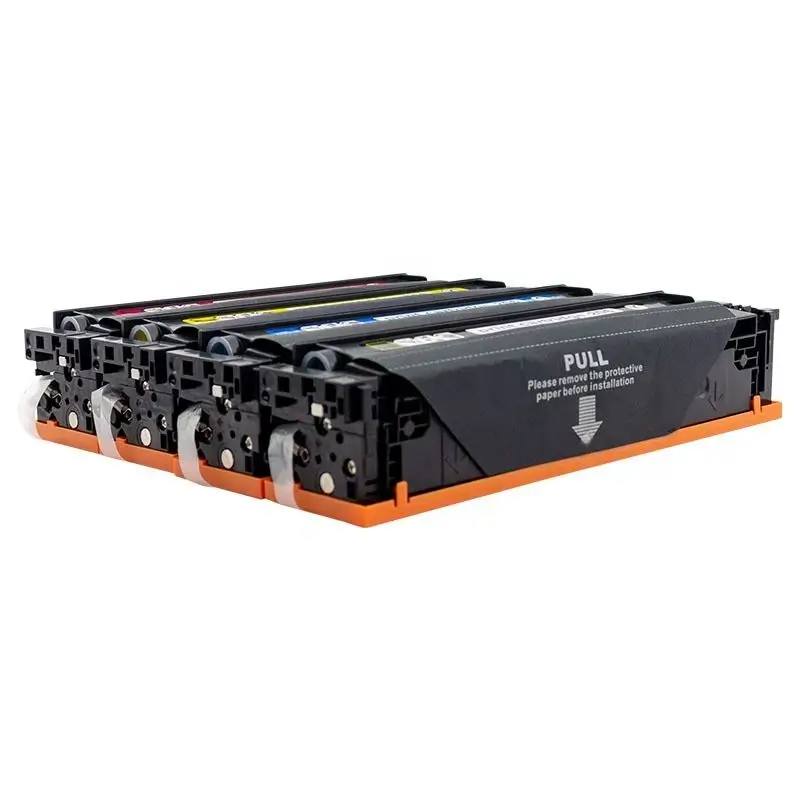
HP W2110A toner cartridge
HP W2110A (206A) Compatible Chip Solutions: Navigating Firmware Updates in 2026
The HP W2110A (206A) series is notorious in the printing industry. Because of HP’s aggressive “Dynamic Security” firmware updates, many businesses struggle with “Supply Problem” or “Non-Genuine Chip” errors.
If you are a B2B buyer or an IT manager, finding a stable compatible chip solution for HP W2110A is the only way to enjoy the cost-saving benefits of third-party toners without the technical headaches. This guide explores the most reliable solutions available in 2026.
1. The Challenge: Why Do HP W2110A Chips Fail?
The HP 206A/206X series uses an encrypted smart chip that communicates directly with the printer’s motherboard. HP frequently releases “quiet” firmware updates via Wi-Fi that are specifically designed to:
- Identify and block non-OEM (third-party) chips.
- Display “Cartridge Communication Error” messages.
- Disable printing until an OEM cartridge is installed.
2. Top 3 Compatible Chip Solutions for 2026
Solution A: Premium “Full-Feature” New Smart Chips
This is the “Gold Standard” for B2B procurement. These chips are engineered with high-speed processors that mimic the OEM handshake.
- Pros: 100% plug-and-play; displays accurate ink levels; bypasses most firmware blocks.
- Best For: Resellers who prioritize customer satisfaction and low return rates.
- Technical Tip: Ensure your supplier provides chips labeled “Firmware 2026 Ready.”
Solution B: The “No-Chip” (OEM Chip Transfer) Method
Due to the high cost of compatible chips, many suppliers offer “No-Chip” cartridges.
- How it works: You use a specialized tool to remove the chip from your empty original HP W2110A and slide it into the new compatible cartridge.
- Pros: The lowest possible cost; avoids all firmware blocking issues (since the printer sees an original chip).
- Cons: The printer will show “Low Toner” or “Empty” indefinitely, though it will still print perfectly.
Solution C: Universal Auto-Reset Chips (ARC)
Some advanced remanufactured solutions use ARCs that reset the page count when the printer is cycled.
- Pros: Extends the life of the cartridge.
- Best For: Managed Print Services (MPS) and specialized refill shops.
3. How to Prevent Chip Failure: A Guide for IT Managers
Even with the best HP W2110A compatible chip, HP can still send an update that blocks your inventory. We recommend the following “Pro-Active” settings:
- Disable “Update Printer Automatically”: Navigate to Setup > Service > LaserJet Update > Manage Updates and set “Check Automatically” to Off.
- Turn Off “HP Cartridge Policy”: Under System Setup > Supply Settings, ensure “Cartridge Policy” is set to Off.
4. Why Partner with a Technical Supplier?
When sourcing wholesale HP W2110A chips, the “cheapest” option is rarely the best. A professional supplier provides:
- Real-time R&D: Chips that are updated within 72 hours of an HP firmware release.
- Batch Tracking: Every chip should have a tracking code to identify quality issues in specific production runs.
- STMC Certification: Ensuring the chip correctly measures toner density and page yield.
Conclusion: Choosing Your Path
Whether you opt for a premium smart chip for convenience or a no-chip solution for maximum savings, the key is consistency. For the HP W2110A (206A), staying ahead of firmware updates is the only way to maintain a reliable printing workflow.
Looking for 2026-Ready HP W2110A Chip Solutions?
We provide factory-direct compatible toners equipped with the latest “Ant-Update” chips. 100% compatibility guaranteed for the HP Color LaserJet Pro M255 and MFP M282/M283 series.

Leave A Comment