
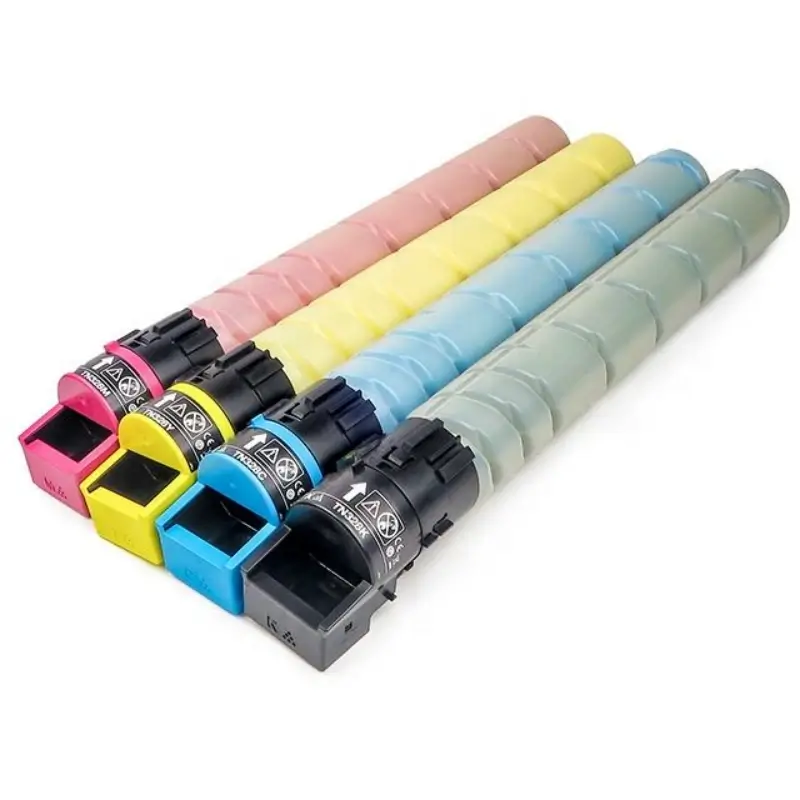
Konica Minolta TN328 Toner Cartridge
Troubleshooting for Konica Minolta Copiers Not Dispensing Toner or Poor Toner Dispensing.
Causes and Troubleshooting Methods for Konica Minolta Copiers Not Dispensing Toner or Poor Toner Dispensing:
1. Toner dispenser not opening or blocked, causing no toner dispensing.
Operating Method:
Check if the toner dispenser is blocked. See the diagram below for instructions. Check if the dispenser is stuck (broken or the seal is not removed). Normally, push the dispenser in the direction of the arrow in the diagram to see if it opens normally or if there are any obstructions.
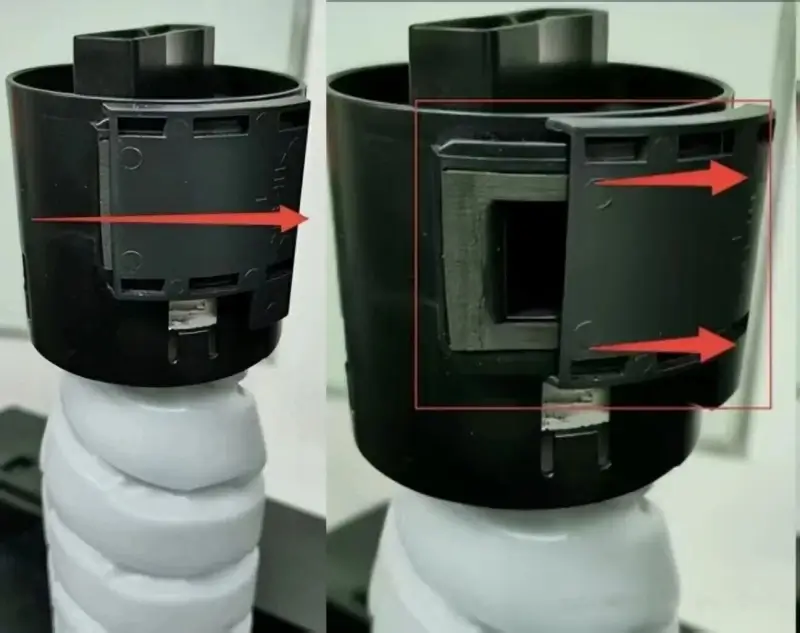
2. Excessive torque in the toner cartridge mold causing no toner dispensing or poor toner dispensing:
Operating Method:
a. Excessive torque due to improper toner cartridge installation. Remove the toner cartridge and rotate it approximately 5 times in the direction of the arrow in the diagram (to adjust torque). Reinstall the toner cartridge.
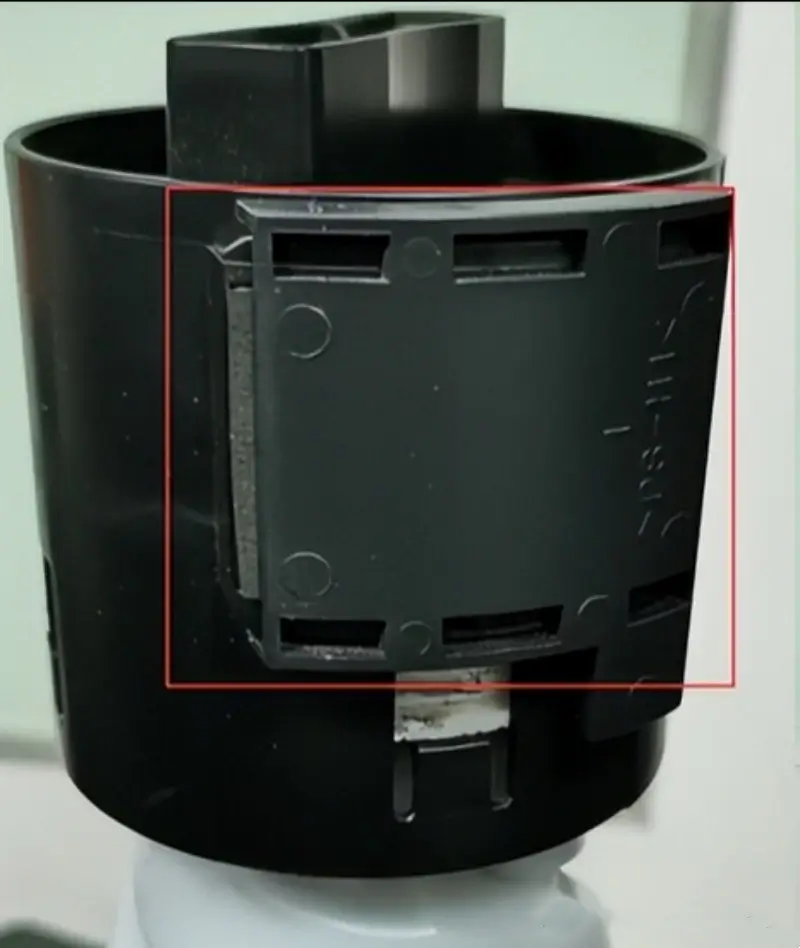
b. Toner cartridge itself is defective. If the problem persists after following the troubleshooting steps, replace the toner cartridge.
3. Issues with toner powder dispensing failure or poor toner powder dispensing caused by equipment malfunction:
Operating Method:
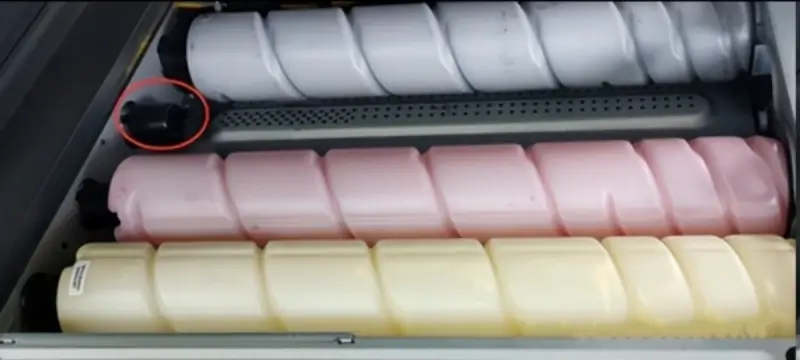
Remove the toner powder hopper. Use a flashlight to check if the toner hopper rotating gear is operating normally or if there are any abnormalities such as a gear falling off. Check the location shown in the image below. If the gear is broken or detached, it needs to be reinstalled or replaced.
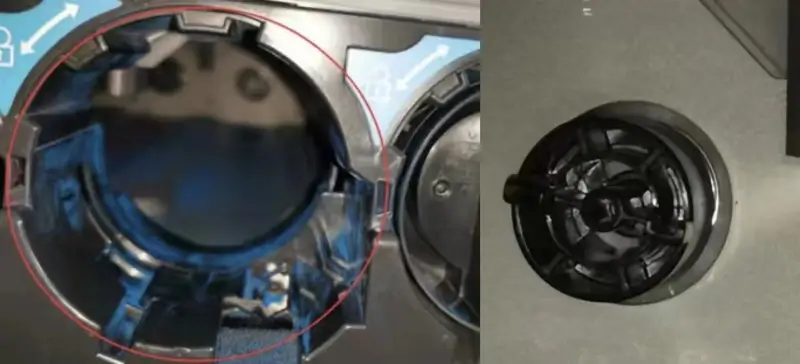
To determine if the rotating gear is not rotating, remove the screws on the side cover shown in the image below, and then remove the top cover at the location shown in the image below. Turn on the power and close the front cover. There should be no toner hopper inside the equipment.
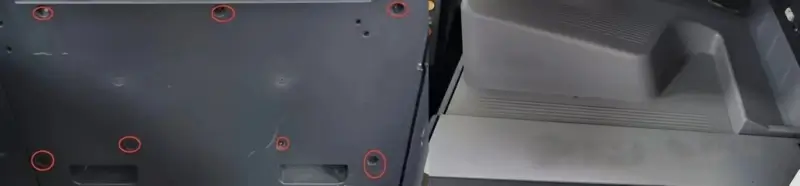
Turn on the machine and check if the gear is rotating as shown in the image below. If the gear is not rotating, please contact a maintenance technician.
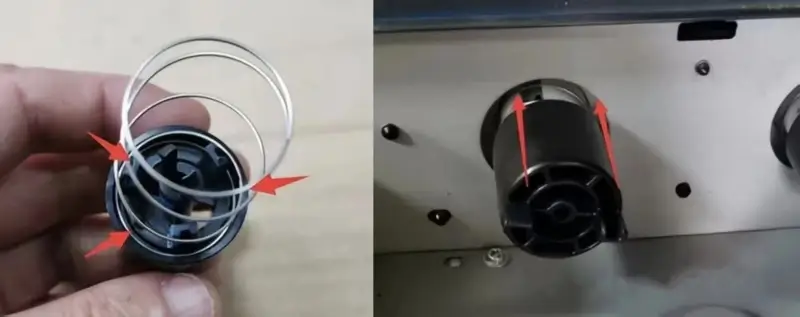
Replacing and Installing the Rotating Gear: Refer to the method for determining if the rotating gear is not rotating. Remove any fallen gear, spring, or broken parts. Install the spring on the gear as shown in the image below. Then, install the gear with the spring installed into the rotating gear slot (insert it gently according to the arrow direction shown in the image below). Then, turn on the machine to verify that the rotating gear is installed correctly (you can verify this by installing the toner hopper without closing the top cover, but ensure the toner hopper is installed correctly). After the test is normal, reset the equipment.

Leave A Comment