
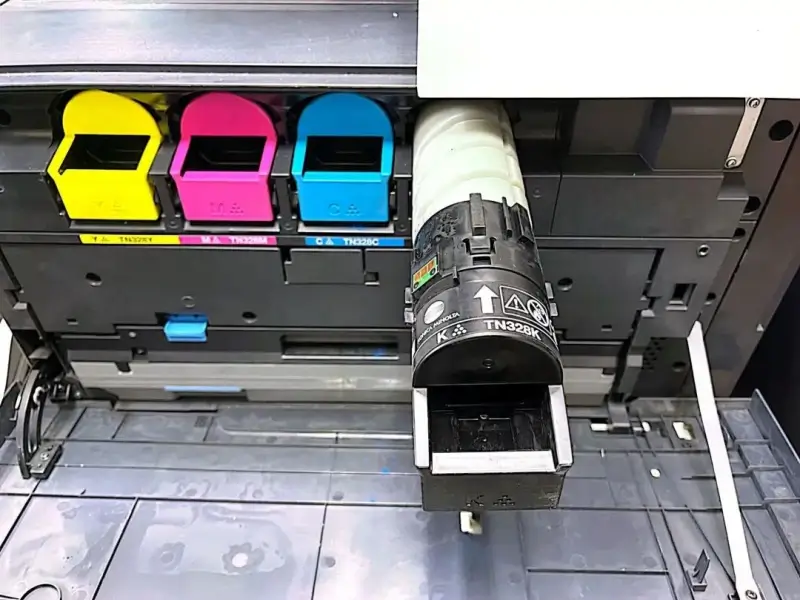
Konica Minolta Toner Level Error: Toner Empty Warning Despite Toner Remaining
Discrepancy between indicated and actual toner levels on Konica Minolta series color machines.
Symptom Description:
- The machine panel indicates that toner for a specific color is empty, but inspection shows that sufficient toner remains in the cartridge.
- Shortly after installing a new toner cartridge, a “low toner” or “toner empty” warning reappears.
Applicable Models: Konica Minolta, Aurora, HGOA, Develop, Sindoh, and other related color machine series.
Step 1:
01. Check the toner cartridge dispensing opening for any foreign objects that may prevent it from opening properly. If an obstruction is found, remove it and reinstall the toner cartridge.
02. Check the sub-hopper drive mechanism and inspect the toner inlet and outlet of the sub-hopper for any blockages.
03. Check and properly arrange the EXCB (Expansion Control Board) wiring harness.
Step 2: Reset the Toner Level Information
Reset the toner level information for the affected color by toggling the corresponding engine switch through the Enhanced Security Mode menu.
01. Enter Service Mode.
02. Enter Enhanced Security Mode:
While in Service Mode, press [Stop], [0], and [C] in sequence to enter Enhanced Mode.
03. Touch [ENGINE FW DIPSW].
04. Highlight (enable) the switch corresponding to the color that needs to be reset.
05. Touch [END].
06. Turn off the main power switch.
07. Replace the toner cartridge with a new one.
08. Turn on the main power switch.
09. Turn off the switch that was previously enabled.
Note: The specific ENGINE FW DIPSW values vary depending on the model. The values below apply to the listed models.
| Applicable Models | Engine FW DIPSW Values |
|---|---|
| C226 / C266 / C226i / C286i / C227 / C287 | 29Y / 30M / 31C / 32K |
| C300i / C360i / C250i / C450i / C550i / C650i | 31Y / 32M / 33C / 34K |

Leave A Comment