
How to Check Toner Level on Brother HL-2260/2260D?
There are two ways to check toner level on the Brother HL-2260/2260D. The printer itself doesn’t have a screen; you can check it via a printed information page or directly on a computer.
Press the GO button three times in quick succession (within one second).
The printer will automatically display a configuration information page showing the toner level.
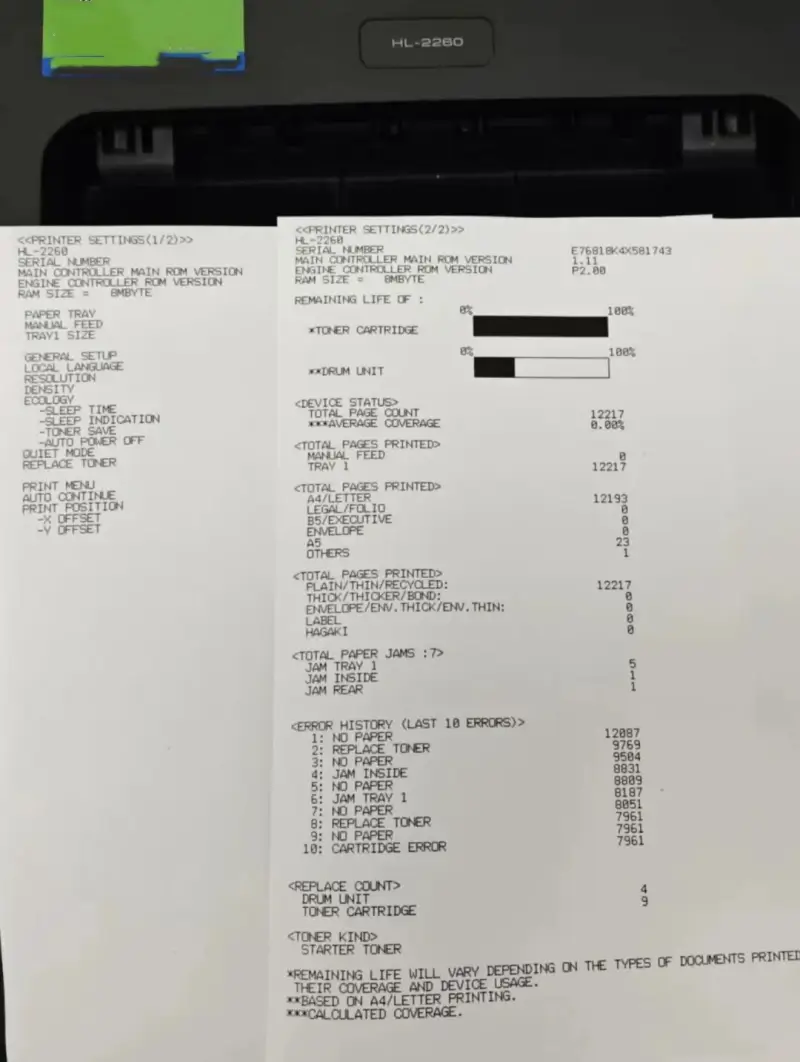
HL-2260 Print Quality Test Page
Front cover closed, machine powered on
Press and hold the GO button while simultaneously pressing the power button to turn on the printer.
Release the GO button after all three lights (Toner/Drum/Paper) are illuminated.
Press GO once more → A test pattern page will be printed.

Leave A Comment