
How to Clean Inkjet Printer Nozzles: A Professional Fluidics & Chemical Guide
Executive Summary: Inkjet nozzle clogging is primarily triggered by solvent evaporation, which causes raw ink solids to crystallize inside the microscopic printhead orifices. This structural blockage manifests as broken lines, severe color casting, or faint print output. Resolving this requires a two-tiered approach: non-invasive algorithmic printhead purging for minor buildup, or targeted chemical solvency soaking for severe structural blockages.
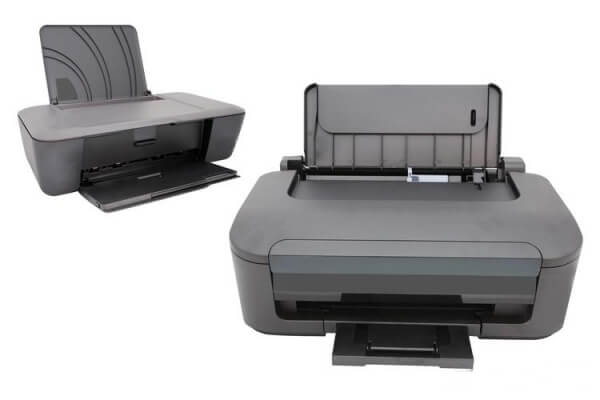
1. Environmental Controls & Clog Prevention
Printheads are highly sensitive to ambient atmospheric conditions. To prevent the ink carrier fluid from drying out prematurely:
- Operating Conditions: Avoid placing inkjet hardware in direct sunlight or dry, unventilated spaces.
- Idle Maintenance: If a printer remains inactive for extended periods, the ink resting at the nozzle interface solidifies. Run a brief diagnostic test page weekly to keep the printhead nozzles moist and pressurized.
2. Tier 1: Software-Driven Driver Purging & Calibration
When print quality begins to degrade slightly but ink still flows, utilize the built-in maintenance utilities embedded within the printer firmware.
- The Automated Nozzle Clean: Access your printer’s maintenance utility via the driver software and initiate the Nozzle Cleaning Cycle. This uses the internal pump to force high-pressure ink through the printhead, clearing minor surface films. Disadvantage: This cycle consumes a significant volume of ink and is ineffective against hardened, crystallized blockages.
- Printhead Alignment & Calibration: If text alignment or color grading remains imperfect after a clean, execute the Calibrate Print Cartridge / Printhead Alignment tool. This micro-adjusts the drop-placement coordinates of the printhead to restore razor-sharp text and eliminate banding.
3. Tier 2: Manual Chemical Soaking & Solvency Matching
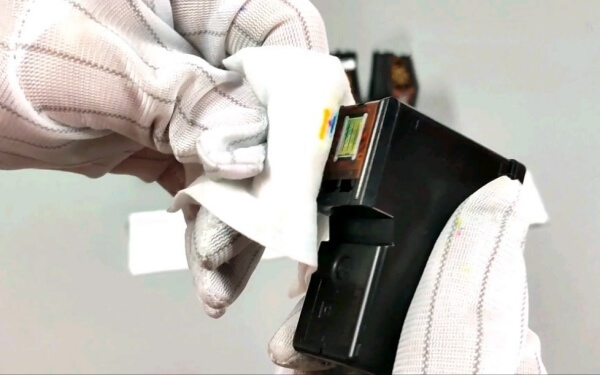
For severe, stubborn blockages where software purging fails, the printhead nozzle plate must undergo physical chemical extraction.
Step 1: Precise Nozzle Submersion
Pour specialized printhead cleaning solution into a shallow container. Submerge the printhead assembly so that only the bottom nozzle plate is immersed.
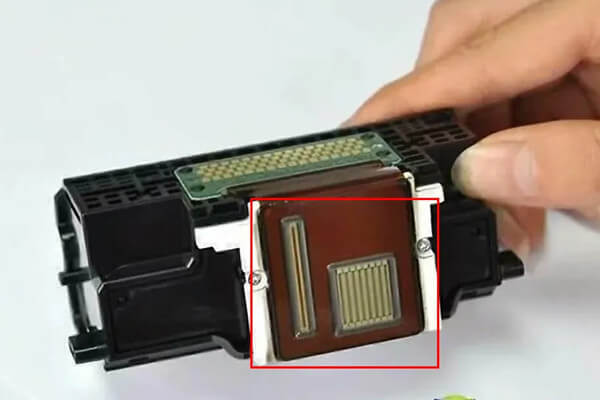
- Critical Electronic Protection: The cleaning fluid must never contact the printhead’s green or gold electronic circuit board (PCB) or contact pins. Moisture on these circuits will cause an immediate electrical short-circuit upon reinstallation. Let the nozzle plate soak undisturbed for several hours.
Step 2: Solvent Chemistry Matching Rules
Using the wrong cleaning agent can cause a chemical reaction that solidifies the ink permanently. Match your solvent precisely to the ink type:
- Water-Based Dye Inks (Standard Desktop Printers): Use specialized water-based cleaning fluids.
- Waterproof Pigment Inks (Certain HP & Lexmark Models): Require specialized oil-based cleaning solvents to break down the resilient polymer binders.
- Eco-Solvent / Weak Solvent Inks: Must be treated with weak solvent cleaning fluids. Avoid using aggressive strong solvents initially, as they can dissolve the internal rubber gaskets, adhesives, and plastic walls of the printhead.
- Thermal Transfer / Sublimation Inks: Natively require weak solvent cleaning profiles.
- Chemical Warning: Never use a water-based fluid on a solvent-based ink system. Doing so triggers a immediate chemical conflict, causing the ink solids to curdle and compound the blockage.
Step 3: Advanced Thermal Soaking for Internal Ink Cartridge Sponges
When hardened ink accumulates inside the internal ink cartridge retention sponge, standard cold soaking cannot penetrate the core.
- The Thermal Protocol: Heat the appropriate matching cleaning fluid to exactly 60°C.
- The Extraction Process: Inject the heated solvent directly into the sponge matrix to liquefy the internal ink aggregates. Use a specialized printhead syringe tool to flush the dissolved residue out through the nozzle, or utilize a low-speed centrifuge to spin the cavity clean.
Printhead Clog Diagnostic & Chemical Matrix
| Clog Severity Level | Probable Root Cause | Target Technical Remedy | Chemical Solvent Required |
|---|---|---|---|
| Minor (Faint lines/Banding) | Light surface ink crystallization | Software Nozzle Clean + Alignment | Native Ink (Automated Purge) |
| Moderate (Missing Colors) | Standard Dye/Water-based drying | Shallow plate submerge & soak | Water-based cleaning fluid |
| Severe (Zero ink output) | Waterproof Pigment binder setting | Overnight nozzle plate soaking | Oil-based cleaning fluid |
| Internal Sponge Solidification | Deep cartridge core crystallization | 60°C Heated Solvent Flush | Weak Solvent or Matching Fluid |

Leave A Comment